
Anthropic Prompt Guide: 10x Your Claude Opus and Sonnet 4.5 Performance
Anthropic Prompt Guide: 10x Your Claude Opus and Sonnet 4.5 Performance
Anthropic has officially released a comprehensive prompt guide that can dramatically improve your results with Claude Opus 4.5 and Claude Sonnet 4.5. These strategies aren’t just tips—they’re fundamental principles that can transform how you interact with Claude, potentially delivering 10x better outcomes.
Whether you’re using Claude code for development, writing, analysis, or any other task, mastering these prompt techniques will unlock Claude’s full potential. Let’s dive into the 10 essential strategies that Anthropic recommends.
Table of Contents
- 1. Be Painfully Specific
- 2. Tell It Why You Want It
- 3. Your Examples Are The Truth
- 4. Big Projects? Work in Small Checkpoints
- 5. If You Use an Agent Workflow, Say So
- 6. Want Action, Not Advice? Say “Do It”
- 7. Control Formatting by Saying What to Do
- 8. Use Simple “Labels” (XML tags) to Steer Behavior
- 9. Tool Use: Don’t Over-Yell in the System Prompt
- 10. If “Thinking” Is Off, Avoid the Word “Think”
- Practical Applications
- Best Practices Summary
- Conclusion
- Source Attribution
1. Be Painfully Specific
Claude 4.5 follows instructions literally, which means vague prompts lead to vague results. The more specific you are about what you want, the better Claude can deliver.
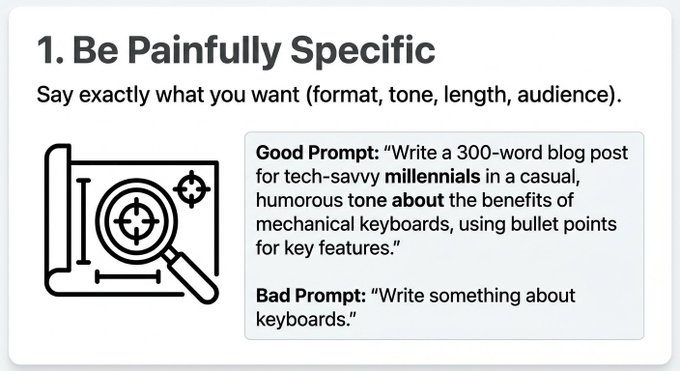 What to specify:
- Format: JSON, markdown, plain text, code blocks
- Tone: Professional, casual, technical, conversational
- Length: Word count, paragraph count, or character limits
- Audience: Executives, developers, general public, students
Example:
❌ Vague Prompt:
Write about AI
✅ Specific Prompt:
Write a 500-word technical blog post in markdown format about Claude AI's architecture, targeting senior software engineers. Use a professional tone and include code examples in Python.
Why it works: Claude 4.5 processes explicit instructions more accurately than implied requirements. When you specify format, tone, and audience, Claude adjusts its entire approach to match your needs.
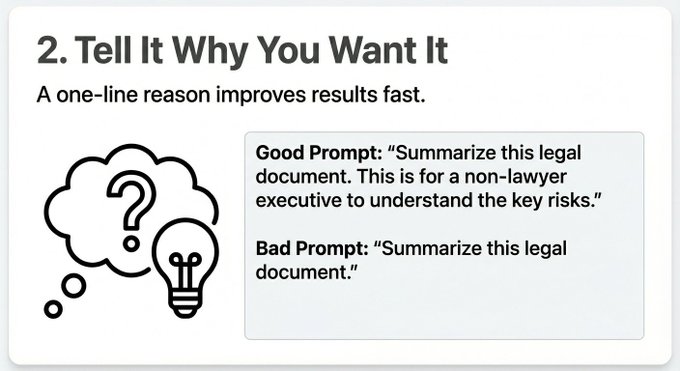
2. Tell It Why You Want It
Context matters. A one-line explanation of why you need something helps Claude understand the underlying purpose and deliver more appropriate results.
 Example:
❌ Without Context:
Summarize this document
✅ With Context:
Summarize this document for executives who need to make a quick decision. Focus on key metrics and risks, keep it under 200 words.
Why it works: Understanding the “why” helps Claude prioritize information, adjust complexity, and format output appropriately. When Claude knows the document is for executives, it automatically filters out technical jargon and focuses on business impact.
3. Your Examples Are The Truth
If you show Claude a sample of what you want, it will replicate that style, format, and approach. This is one of the most powerful prompt techniques—but it works both ways.
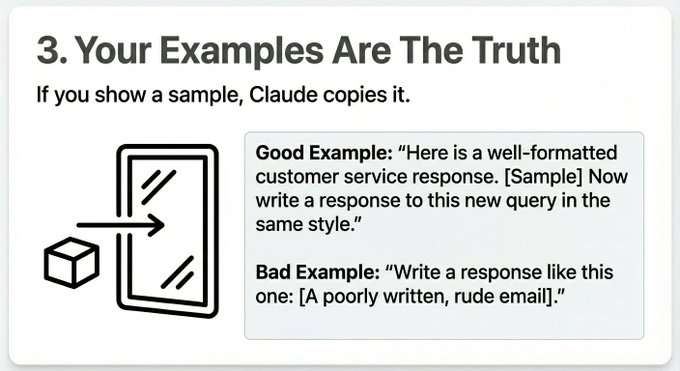 Good Example:
Write product descriptions in this style:

[Example product description with specific tone, structure, and formatting]

Now write descriptions for these 5 products: [list]
Bad Example Warning: If you provide a poorly formatted example, Claude will copy those mistakes. Always use high-quality examples that represent exactly what you want.
Why it works: Claude learns patterns from examples more effectively than from descriptions. Showing is more powerful than telling when it comes to style and format.
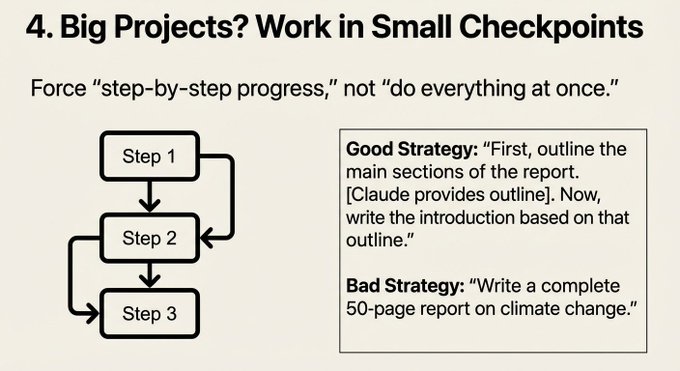
4. Big Projects? Work in Small Checkpoints
Claude 4.5 excels at long tasks when you break them into manageable steps rather than asking for everything at once.
 Example:
❌ Overwhelming Prompt:
Build a complete e-commerce website with user authentication, payment processing, inventory management, and admin dashboard.
✅ Checkpoint Approach:
Let's build an e-commerce website step by step.

Step 1: Create the database schema for products, users, and orders. Show me the SQL schema first.
[After approval]
Step 2: Build the user authentication API endpoints.
[After approval]
Step 3: Implement the product listing and search functionality.
Why it works: Breaking tasks into checkpoints allows Claude to maintain focus, reduces errors, and gives you control over the direction. It also prevents Claude from making assumptions about parts you haven’t specified yet.
5. If You Use an Agent Workflow, Say So
When working with agent workflows or systems that manage context, explicitly tell Claude about the environment.
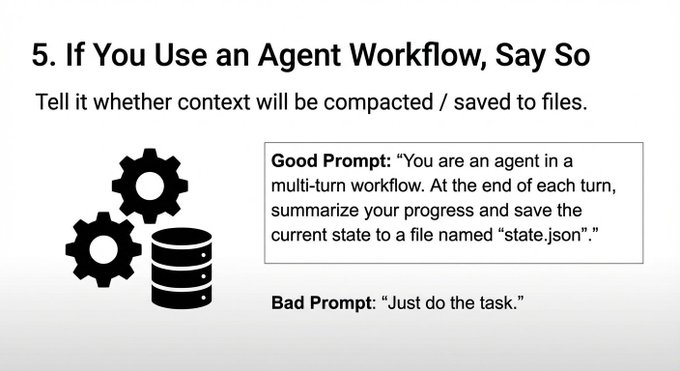 Example:
You're working in an [agent workflow](https://claudecode.app/mcp) where context will be saved to files after each step. Before the context window refreshes, save your current state and reasoning to a file. Also, note that previous context may be compacted, so include essential information in each response.
Why it works: Claude can adapt its behavior when it knows about context management. It will proactively save state, summarize key points, and structure responses for better context preservation. This is especially important when using MCP servers that manage context across sessions.
6. Want Action, Not Advice? Say “Do It”
Claude can be helpful to a fault—sometimes it suggests instead of implementing. If you want actual changes or code, be explicit.
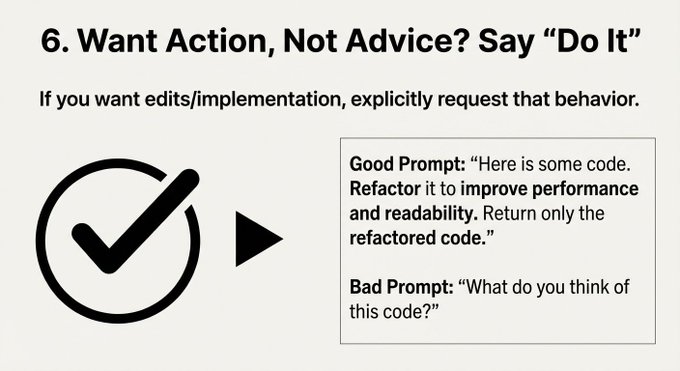 Example:
❌ Gets Suggestions:
How can I improve this code?
✅ Gets Implementation:
Refactor this code to improve performance. Make the changes directly and show me the improved version.
Alternative phrases:
- “Implement this change”
- “Rewrite this code”
- “Make these edits”
- “Apply these modifications”
Why it works: Claude defaults to being helpful and non-intrusive. Explicit action requests override this default and trigger implementation behavior.
7. Control Formatting by Saying What to Do
Instead of telling Claude what NOT to do, specify what you DO want. Positive instructions are clearer and more effective.
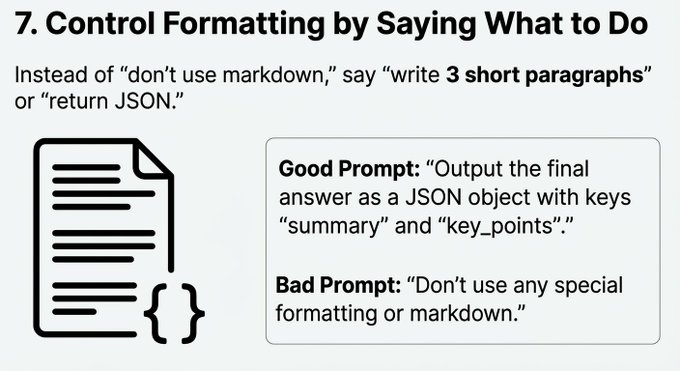 Example:
❌ Negative Instruction:
Don't use markdown formatting
✅ Positive Instruction:
Write 3 short paragraphs in plain text, no formatting.
Better Example:
Return the data as a JSON object with these keys: title, description, tags, date.
Why it works: Positive instructions are clearer and leave less room for interpretation. Instead of Claude guessing what “no markdown” means, you’re explicitly stating the desired format.
8. Use Simple “Labels” (XML tags) to Steer Behavior
Anthropic recommends using lightweight XML-style tags to set behavioral defaults and context.
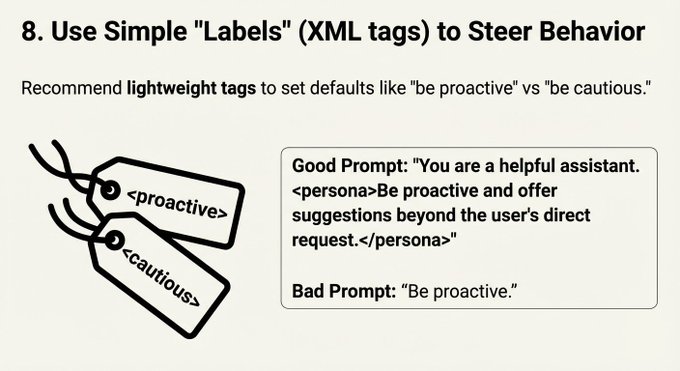 Example:
<proactive>
When you encounter errors, suggest fixes immediately and explain the reasoning.
</proactive>

<context>
This is a production codebase. Prioritize stability and performance over new features.
</context>

<caution>
Double-check all calculations before presenting results.
</caution>
Why it works: XML tags create clear boundaries for behavioral instructions. They’re easy to parse, modify, and reuse across different prompts. This technique is particularly useful for system prompts or reusable templates, especially when configuring MCP servers that require specific behavioral contexts.
9. Tool Use: Don’t Over-Yell in the System Prompt
Claude Opus 4.5 can over-trigger tools if your prompt is too emphatic about tool usage. Use calmer, more measured guidance.
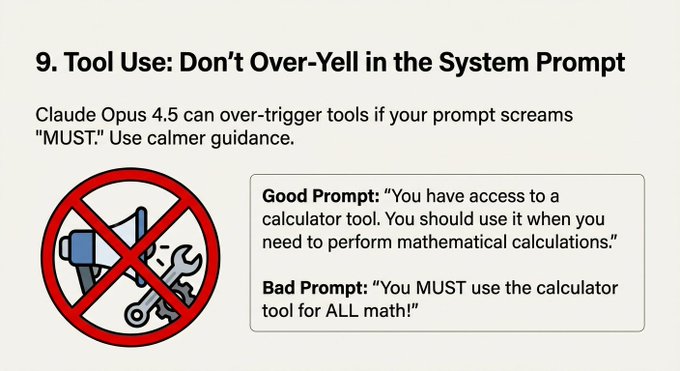 Example:
❌ Over-Emphatic:
YOU MUST ALWAYS USE TOOLS FOR EVERY TASK!!! TOOLS ARE CRITICAL!!! NEVER SKIP TOOLS!!!
✅ Balanced Approach:
When appropriate, use available [tools](https://claudecode.app/mcp) to gather information or perform actions. Evaluate whether tool use is necessary for each task.
Why it works: Over-emphasis can cause Claude to use MCP tools unnecessarily, leading to inefficient workflows. Balanced guidance allows Claude to make intelligent decisions about when tools are actually needed, especially when working with MCP servers that provide multiple tool options.
10. If “Thinking” Is Off, Avoid the Word “Think”
Claude Opus 4.5 can be sensitive to the word “think” when thinking mode is disabled. Use alternative phrasing.
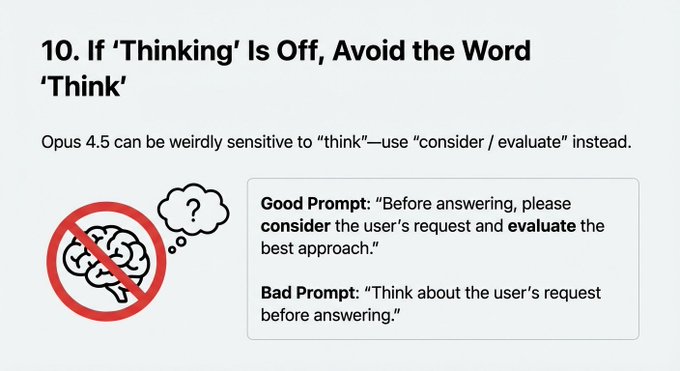 Example:
❌ Uses “Think”:
Think about the best approach to solve this problem.
✅ Alternative Phrasing:
Consider the best approach to solve this problem.
Evaluate different solutions and recommend the most effective one.
Alternative words:
- Consider
- Evaluate
- Analyze
- Assess
- Review
- Examine
Why it works: When thinking mode is off, the word “think” can trigger unexpected behavior or confusion. Using alternative verbs maintains clarity and avoids potential issues.
Practical Applications
Real-World Use Cases
For Development with Claude Code:
When using Claude code for development, combine multiple strategies:
<context>
This is a React TypeScript project using Next.js 14. The codebase follows strict TypeScript conventions.
</context>

I need you to refactor the user authentication module.

Why: We're migrating to a new auth provider and need to maintain backward compatibility during the transition.

Step 1: Analyze the current authentication flow and identify all dependencies.
[Show me the analysis first before proceeding]

Format: Provide code changes in separate code blocks with explanations.
For Content Creation:
Write a technical blog post about Claude AI prompts.

Format: Markdown with H2 headings, code examples in fenced blocks
Length: 1500-2000 words
Audience: Developers familiar with AI tools
Tone: Professional but accessible

Why: This will be published on our company blog to attract developer talent.

Example style: [paste example of previous blog post]

Do it: Write the complete article, don't just outline it.
For Data Analysis:
Analyze this dataset and provide insights.

Format: JSON with keys: summary, key_findings, recommendations, visualizations_suggested
Why: I need to present findings to stakeholders in a structured format for decision-making

Work in checkpoints:
1. First, show me the data quality assessment
2. Then, identify the top 5 insights
3. Finally, provide actionable recommendations
Best Practices Summary
Quick Reference Checklist
- ✅ Be specific about format, tone, length, and audience
- ✅ Explain why you need the output
- ✅ Provide examples of desired output style
- ✅ Break large tasks into checkpoints
- ✅ Mention agent workflows if applicable
- ✅ Request action explicitly when you want implementation
- ✅ Use positive instructions for formatting
- ✅ Apply XML tags for behavioral context
- ✅ Keep tool guidance balanced and measured
- ✅ Avoid “think” when thinking mode is off
Common Pitfalls to Avoid
- Being too vague - “Make it better” doesn’t help Claude understand what “better” means
- Skipping context - Without the “why,” Claude can’t prioritize effectively
- Bad examples - Poor examples teach Claude bad patterns
- Overwhelming prompts - Large, complex requests lead to incomplete or incorrect results
- Assuming action - If you want changes, explicitly request them
- Negative instructions - “Don’t do X” is less clear than “Do Y”
- Over-emphasizing tools - Let Claude decide when MCP tools are needed
- Ignoring workflow context - Agent workflows need explicit mention
Tips for Different Use Cases
Coding:
- Use checkpoints for large refactors
- Provide code style examples
- Specify the tech stack and constraints
- Request direct implementation, not suggestions
Writing:
- Define tone, audience, and length
- Provide style examples
- Explain the purpose (blog post, documentation, marketing copy)
- Use XML tags for voice and style guidelines
Analysis:
- Specify output format (JSON, table, report)
- Explain who will use the analysis
- Break complex analysis into steps
- Request specific metrics or insights
Conclusion
Mastering these 10 prompt strategies from Anthropic can dramatically improve your results with Claude Opus 4.5 and Claude Sonnet 4.5. The key is understanding that Claude follows instructions literally and benefits from explicit, well-structured guidance.
Remember:
- Specificity beats vagueness - The more details you provide, the better the output
- Context enables prioritization - Understanding “why” helps Claude focus on what matters
- Examples teach patterns - Show Claude what you want, don’t just describe it
- Checkpoints maintain quality - Break large tasks into manageable steps
- Explicit requests get action - If you want implementation, ask for it directly
Start applying these strategies in your Claude code workflows today. Experiment with different combinations and find what works best for your specific use cases. The investment in learning better prompting will pay dividends in the quality and efficiency of your AI interactions.
Source Attribution
This guide is based on Anthropic’s official prompt recommendations, as shared by @minchoi on X/Twitter. These strategies represent best practices for maximizing Claude Opus 4.5 and Claude Sonnet 4.5 performance.
For more resources on using Claude effectively:
- Claude code - Development workflows with Claude
- Claude MCP Servers - Extend Claude’s capabilities
Ready to 10x your Claude performance? Start applying these prompt strategies in your next project with Claude code.